
Dear Customers,
Today we would like to present another SmartCP Logistics update.
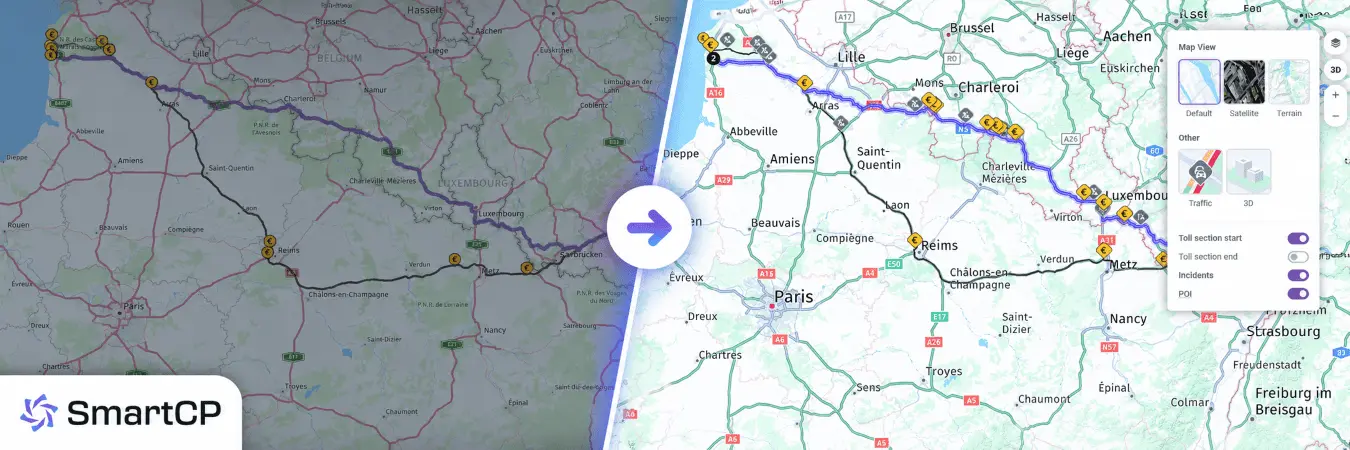
This time, the focus is on one of the most important daily areas in every modern TMS: route planning, map visibility, and route access for dispatchers, planners, and drivers.
We redesigned the mapping experience to make route planning more practical for dispatch operations, clearer for planners, and more useful for drivers during order execution.
Route Planning - A New Mapping Experience for Daily Dispatch Work
The Route Planning module has received one of the biggest upgrade. The goal was simple: help transport companies plan routes faster, understand them better, and react more confidently in real daily operations.
This update improves not only how the map looks, but how it supports decisions inside dispatching, fleet coordination, and order execution.
What Changed
The new Route Planning experience now includes:
- Improved map quality and readability
- Custom map controls
- A dedicated Map View selector
- Route Incidents visibility
- Better toll visibility
- Saved Avoid Areas
Better Route Context: Toll Sections and Incidents
This update expands what users can actually see on the route.
In particular, Incidents are now available directly on the route map, which was not supported in the previous flow.
Users can also control toll visibility more precisely, including separate display of:
- Toll section start
- Toll section end
- Incidents
This gives dispatchers and planners much better situational awareness during route review.
Map View - Better Layer Control for Different Planning Scenarios
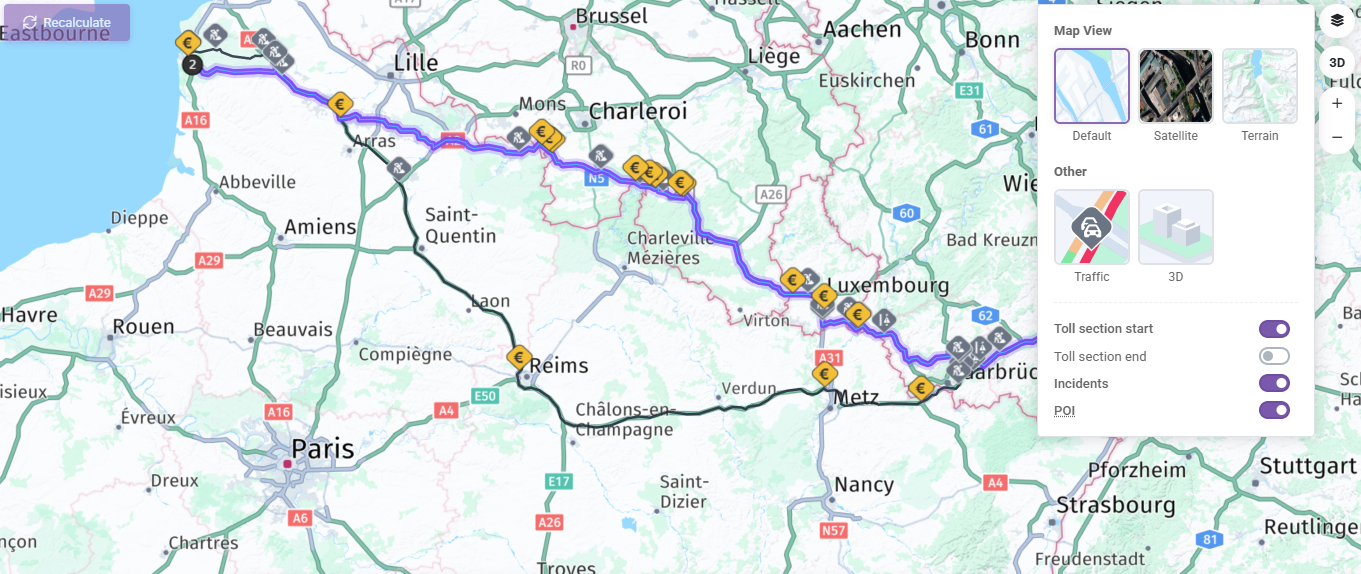
The new Map View control gives users much more flexibility depending on the planning situation.
The updated selector includes:
- Default
- Satellite
- Terrain
- Traffic conditions
- Toll section start
- Toll section end
- Incidents
- POI
This gives route planners and dispatchers more direct control over the map context they need.
For example:
- Default is ideal for everyday route planning
- Satellite helps verify exact delivery or loading locations
- Terrain provides better geographic context in more difficult regions
- Traffic conditions help evaluate the real road situation
- POI allows users to show or hide destination-related icons such as fuel stations, restaurants, offices, and companies
Instead of forcing one map mode for every case, SmartCP now adapts more naturally to different operational needs.
Avoid Areas - Custom No-Go Zones for Smarter Route Planning
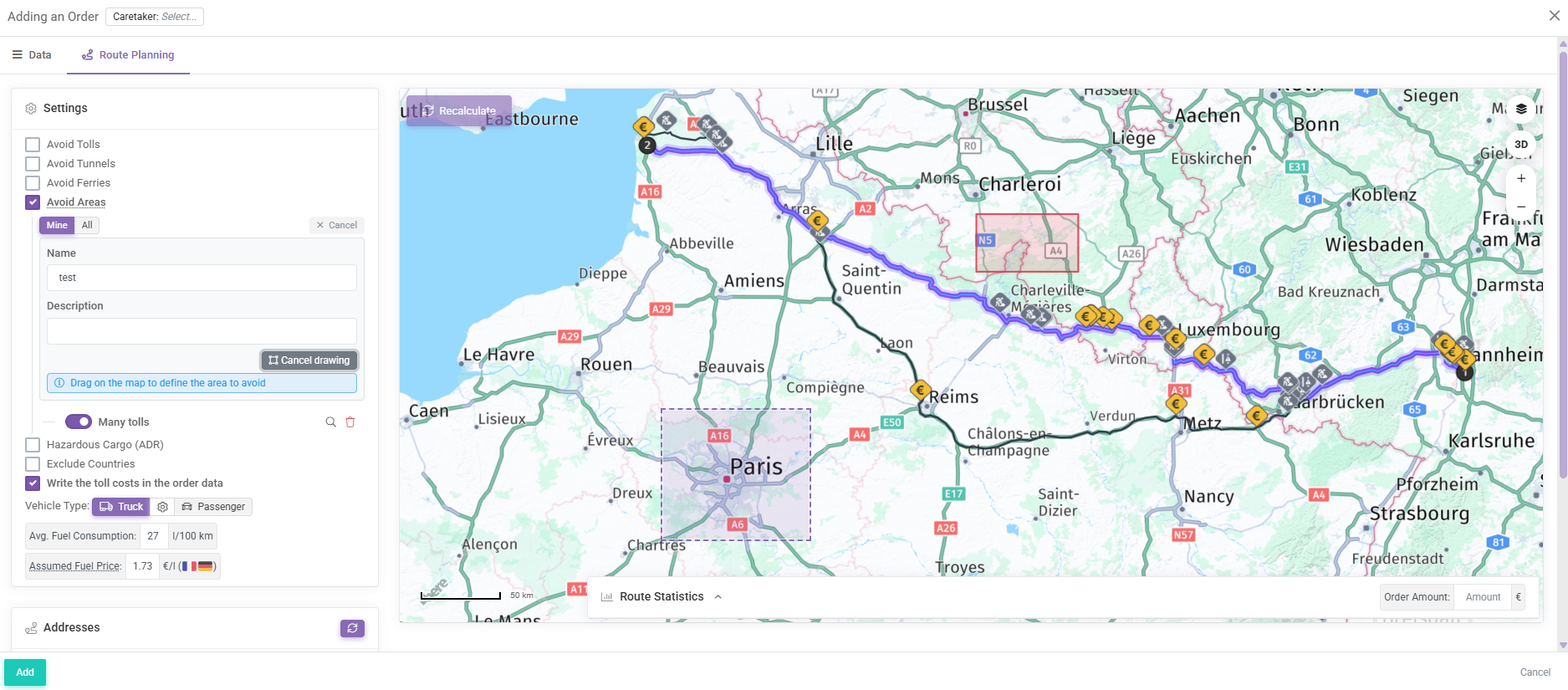
One of the most practical additions to Route Planning is Avoid Areas.
This feature allows users to create custom areas on the map that should be avoided when planning a route.
How It Works
Users can now:
- Enable Avoid Areas in Route Planning
- Draw a rectangle directly on the map
- Save the area with a name and description
- Reuse saved areas later
- Toggle saved areas on or off individually
The system also supports two scopes: Mine and All
This means each user can manage their own saved areas while also using areas created by other users in the same company.
Why This Matters
In real road freight operations, dispatch decisions are not based only on official restrictions.
Very often, companies avoid certain zones because of experience, customer requirements, operational risk, or local know-how.
Examples include:
- City centers with difficult truck access
- Areas with frequent police control
- Zones with high fines
- Operationally problematic districts
- Locations known to cause delays
With Avoid Areas, this dispatcher knowledge becomes structured, reusable, and scalable.
That is exactly the kind of functionality that helps our TMS move from basic route calculation to real operational intelligence.
Order Route View - Better Visibility After the Route Has Been Planned
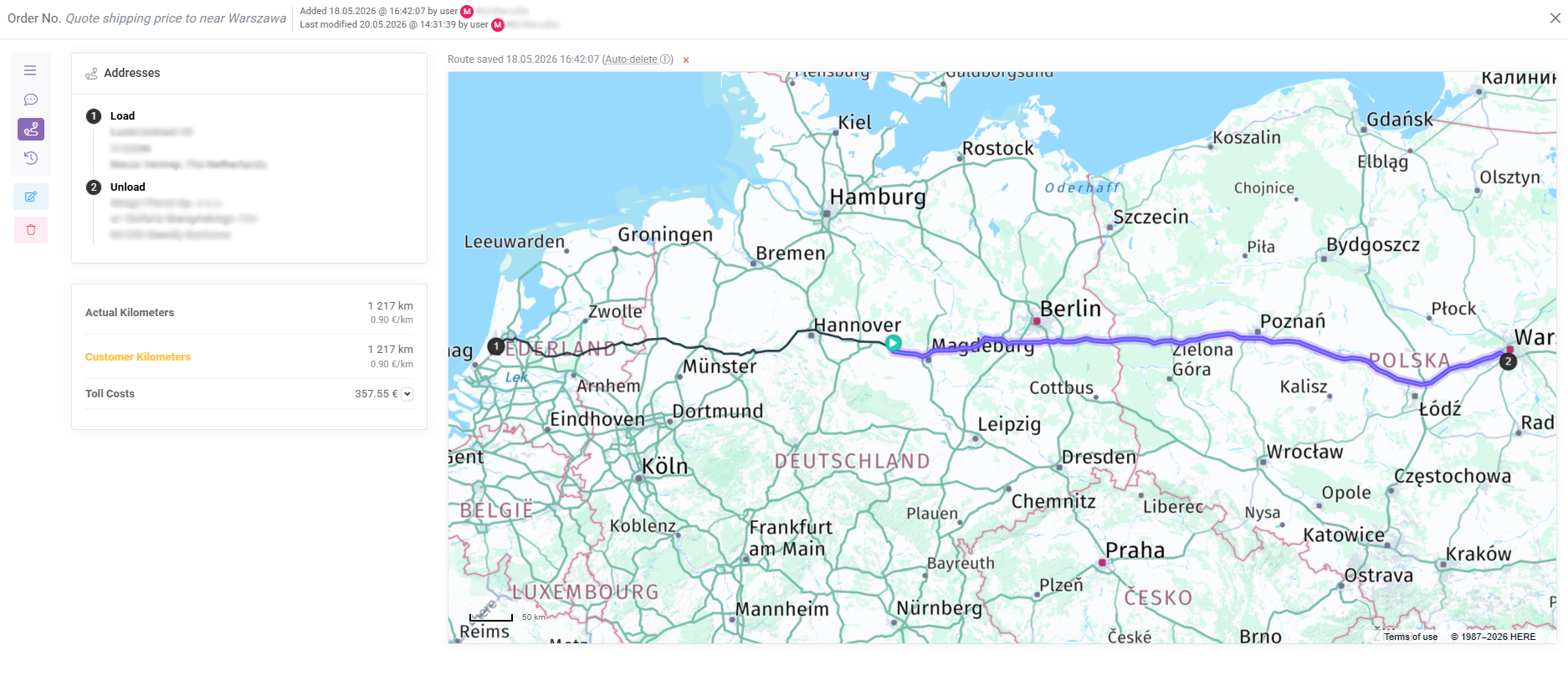
The update is not limited to route planning only.
Saved route views on transport orders have also been extended.
Users can now see:
- The planned route
- The vehicle location marker
- The completed part of the route
- The remaining route ahead
When a vehicle location is available, SmartCP can now visually split the route into the part already completed and the part still remaining.
This makes route progress immediately understandable and gives dispatchers much better visibility after the route has already been planned.
SmartDriver - Route Map Directly in Trip Details
The new mapping improvements were also extended to SmartDriver.
Drivers can now see a route map directly inside trip details.
When route data is available, the driver can see:
- The saved route
- Task points
- The current vehicle position
- The completed route segment
- The remaining route segment
This gives drivers much clearer trip orientation directly in the mobile workflow.
It is a practical step toward a better digital driver experience inside daily transport operations.
Why This Update Matters
In road transport, route planning is not just about drawing a line between A and B.
It is about:
- Operational clarity
- Better dispatch decisions
- Driver orientation
- Reusable planning knowledge
- Improved control over route execution
This update strengthens all of those areas.
For existing customers, it means a better daily workflow for dispatching, route control, and driver coordination.
For companies currently looking for a more advanced TMS for transport management, fleet visibility, route optimization, and driver communication, it shows how SmartCP continues to evolve around real operational needs.
We believe that a modern transport management system should not only store order data. It should help people make better decisions faster. This update is another strong step in that direction.
If you have any questions or require further clarification, please feel free to reach out to us at support@smartcp.org.
Best regards,
SmartCP Team